Appearance
Phase 3: PayPledge Creation
This phase covers the PayPledge transaction creation process, including request creation, buyer review, and PayPledge activation. This is where the actual trade transaction begins.
Phase Overview
Step-by-Step Process
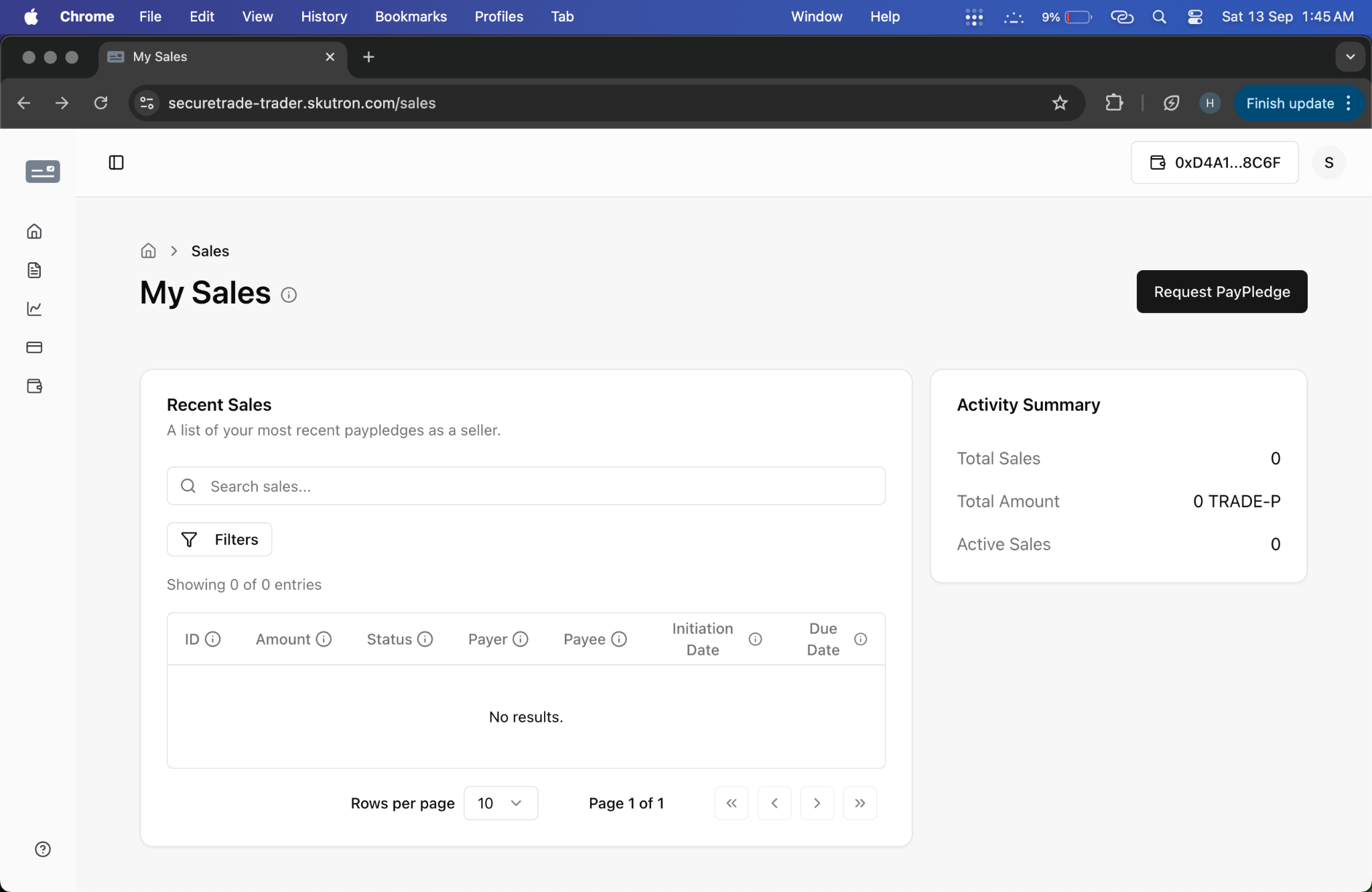
1. PayPledge Request Creation
Seller Initiates Transaction Request
- Action: Seller creates PayPledge request from sales section
- System Response: Request created and sent to buyer
- Screenshot:
- Video: PayPledge Request
Request Creation Steps:
- Navigate to sales section
- Click "Create PayPledge Request"
- Fill out transaction details
- Specify terms and conditions
- Submit request to buyer
2. PayPledge Details Definition
Comprehensive Transaction Terms
- Action: Seller fills out detailed PayPledge request form
- System Response: Form validation and preview of terms
- Screenshot:
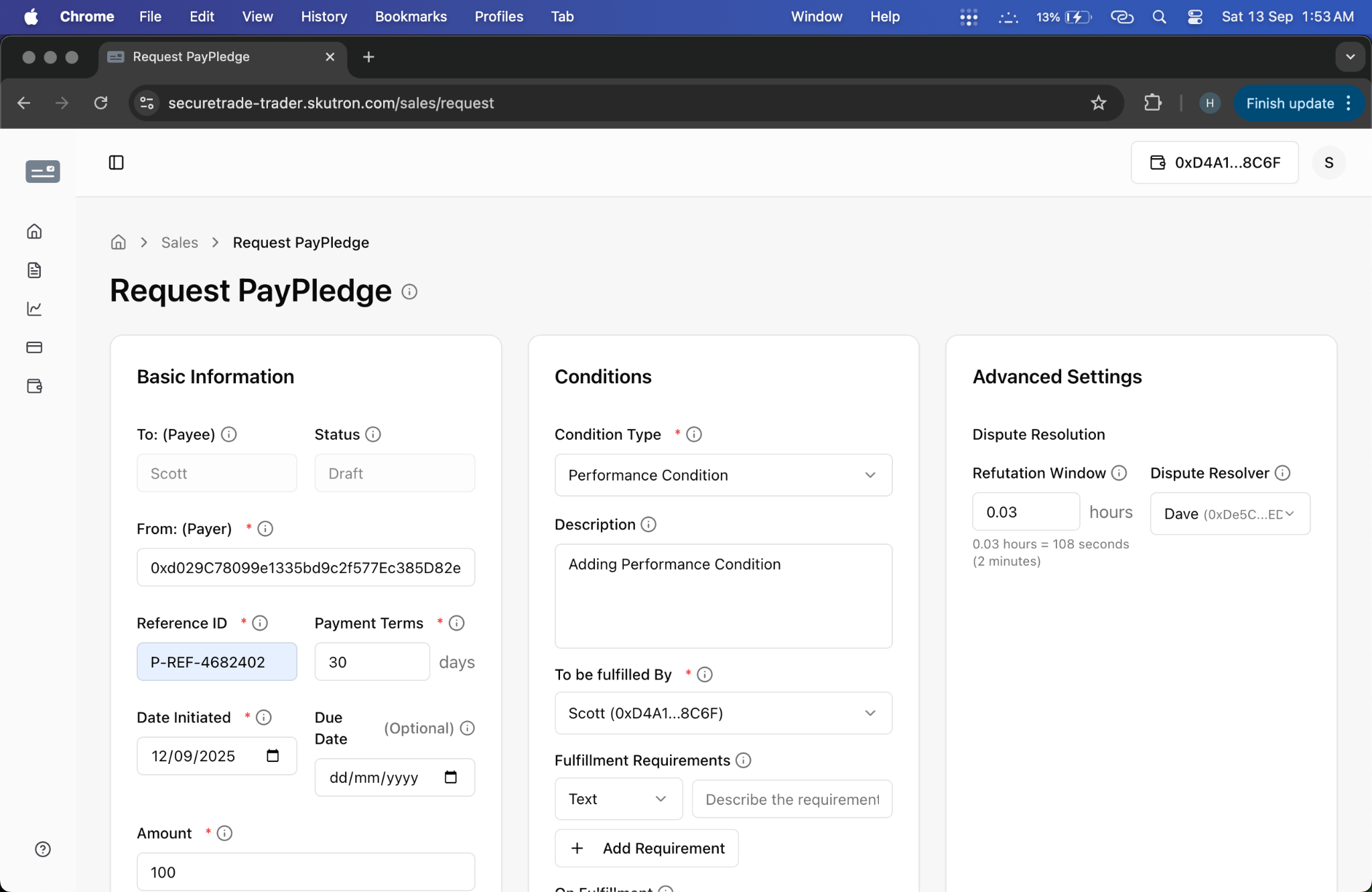
Required Details:
- Transaction amount
- Payment terms
- Performance conditions
- Collateral requirements
- Delivery specifications
- Timeline requirements
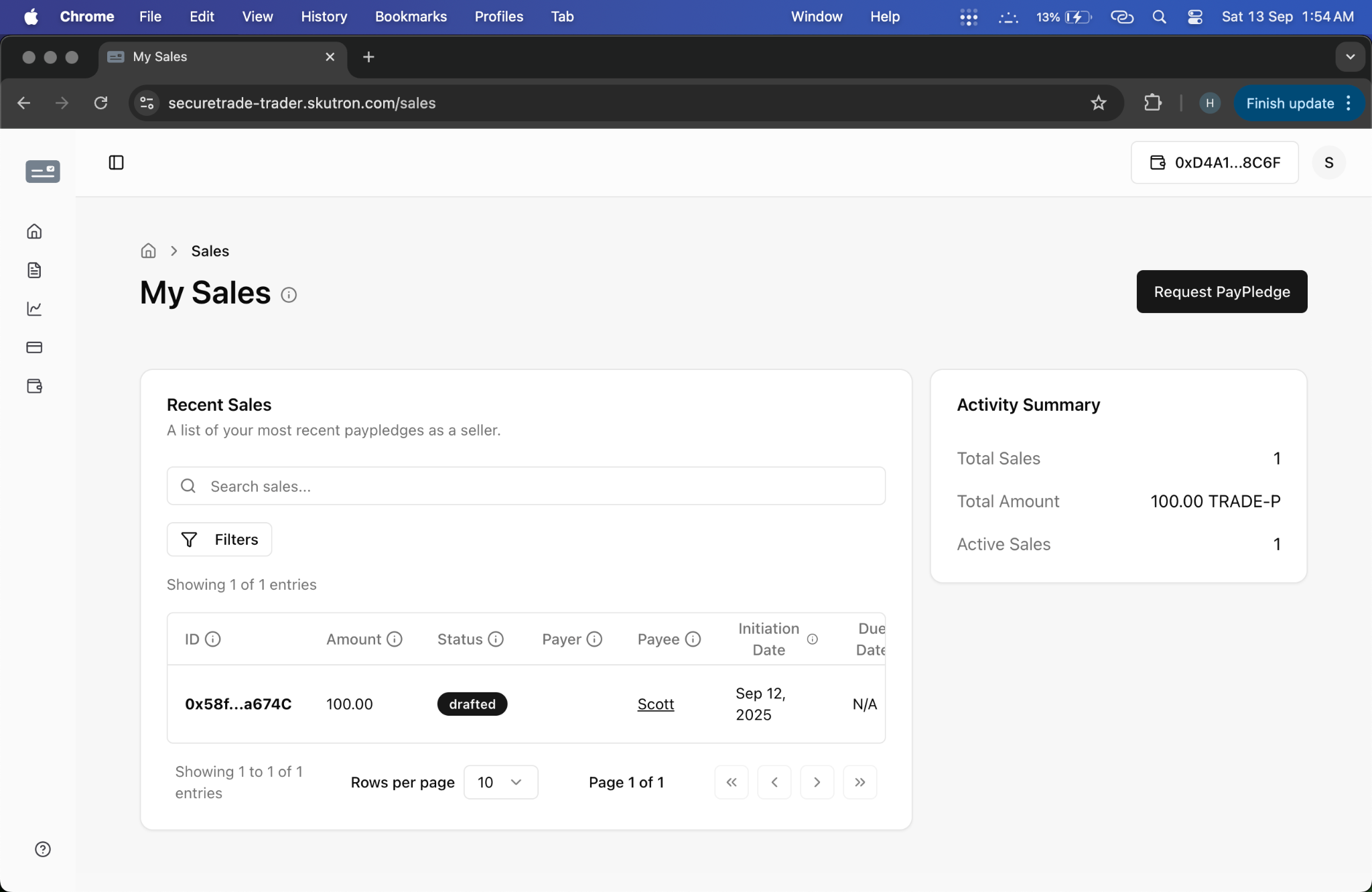
3. Draft PayPledge Review
Seller Reviews Created Request
- Action: Seller reviews their created PayPledge request
- System Response: Displays PayPledge details with "Drafted" status
- Screenshot:
Review Includes:
- Verify all details are correct
- Check terms and conditions
- Confirm collateral requirements
- Review performance conditions
- Submit for buyer review
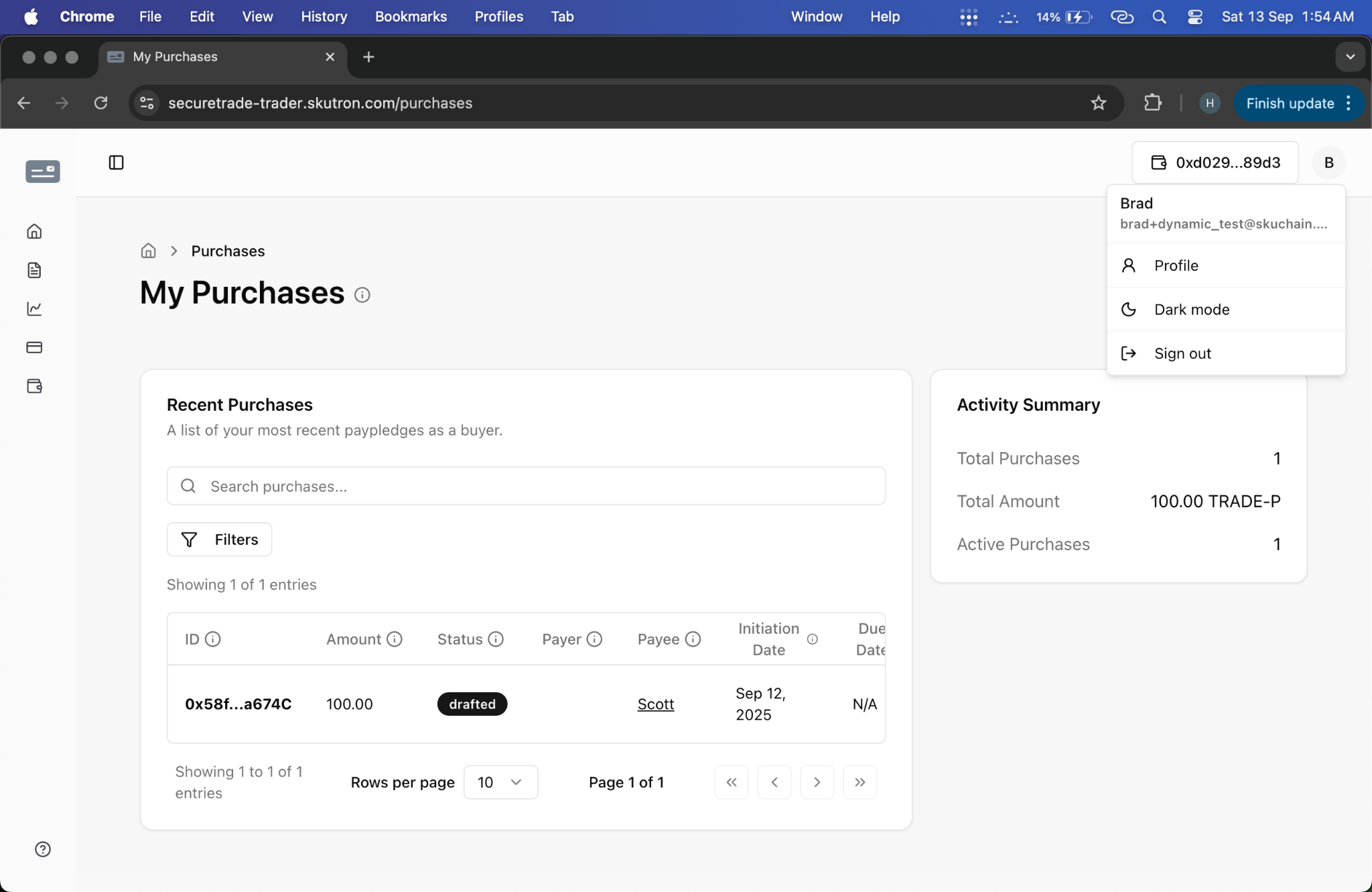
4. Buyer Request Review
Buyer Evaluates PayPledge Request
- Action: Buyer navigates to purchases section to view pending requests
- System Response: Displays pending PayPledge requests from sellers
- Screenshot:
Review Process:
- Access purchases section
- Review pending requests
- Evaluate terms and conditions
- Assess performance requirements
- Decide on acceptance
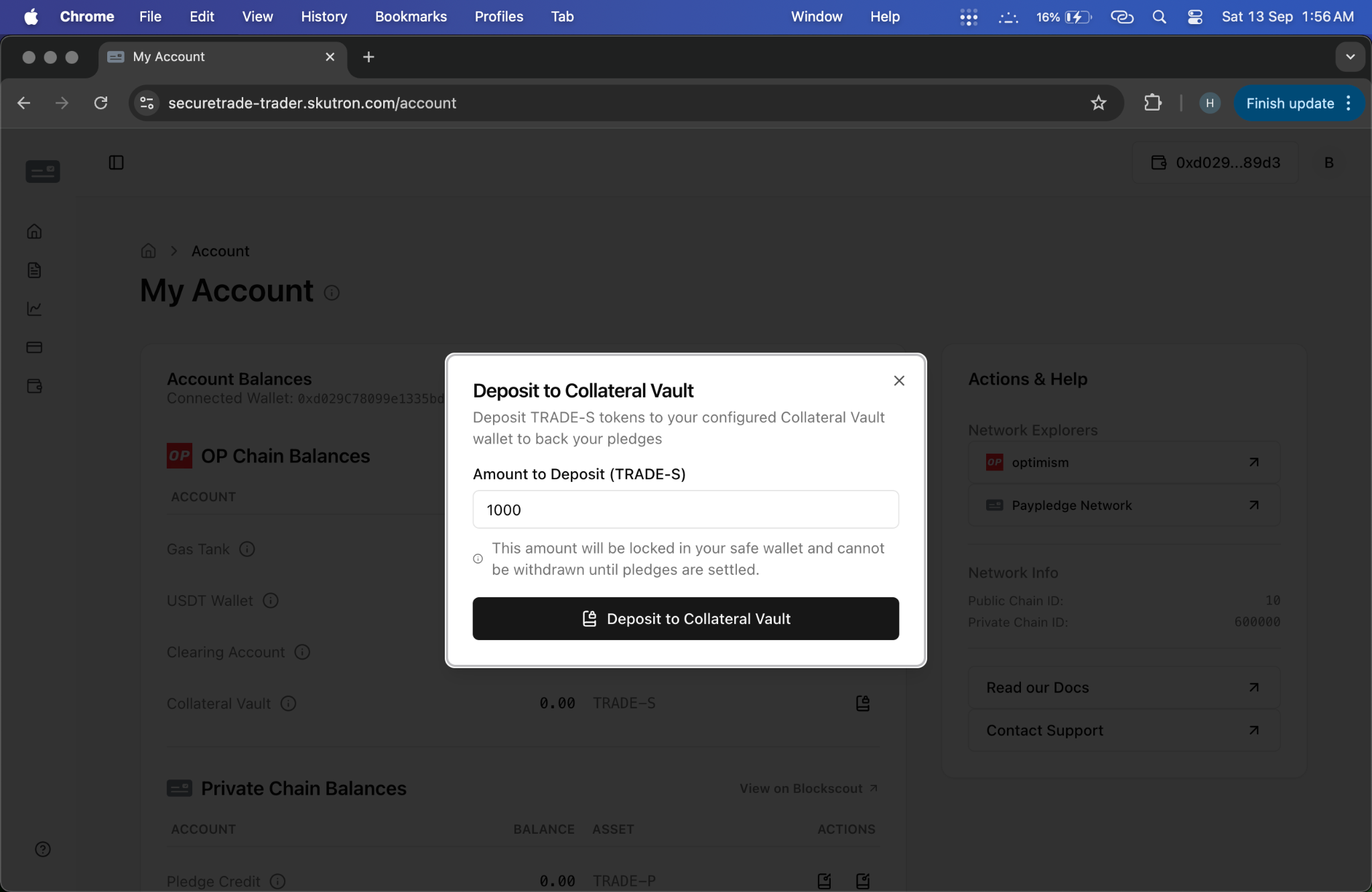
5. Collateral Deposit
Buyer Funds Transaction
- Action: Buyer deposits collateral to fund the PayPledge
- System Response: Collateral deposited, credit added to account
- Screenshot:
- Video: Collateral Deposit
Deposit Process:
- Navigate to My Account page
- Click "Deposit Collateral"
- Specify deposit amount
- Confirm transaction
- Verify deposit completion
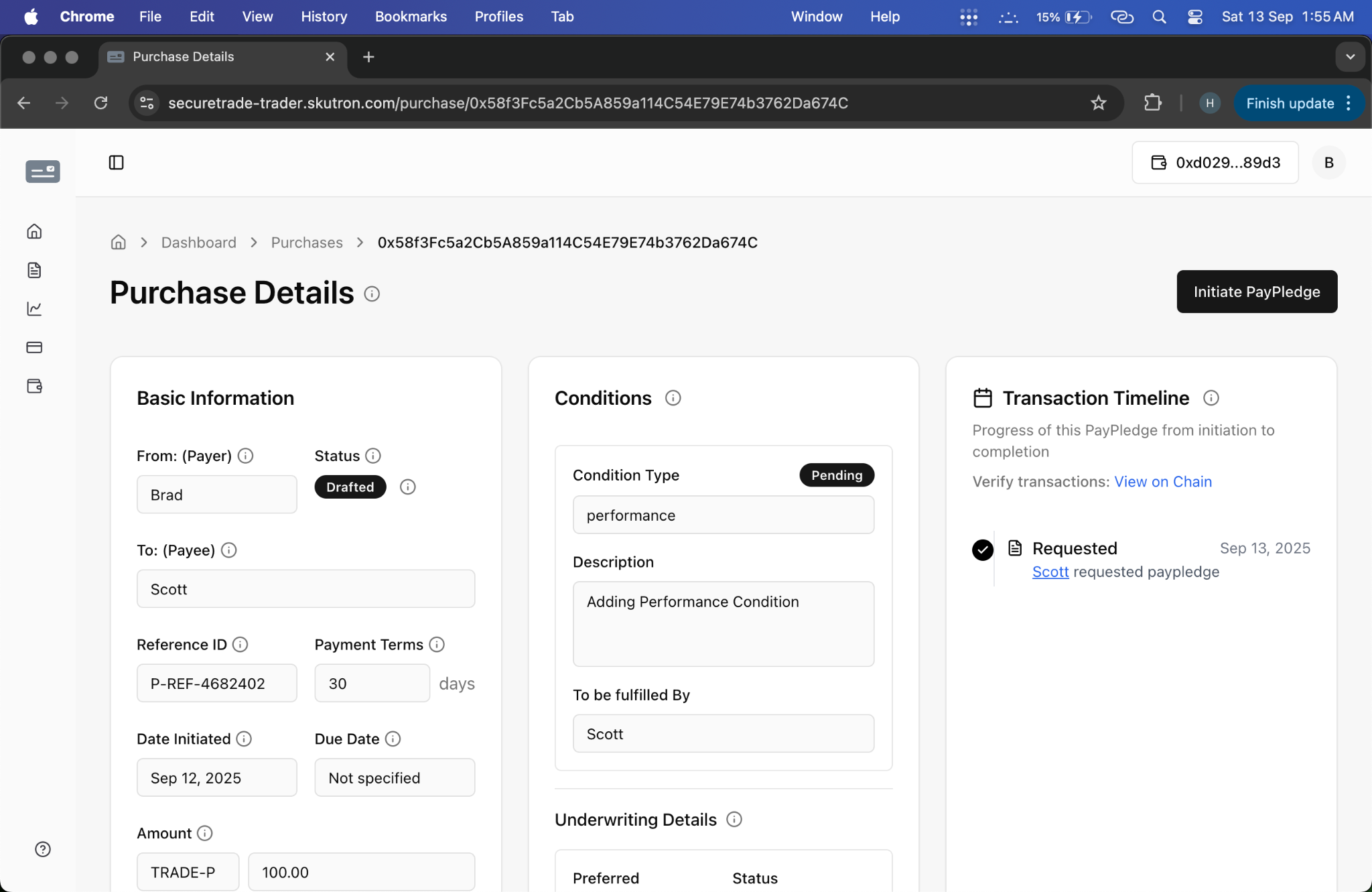
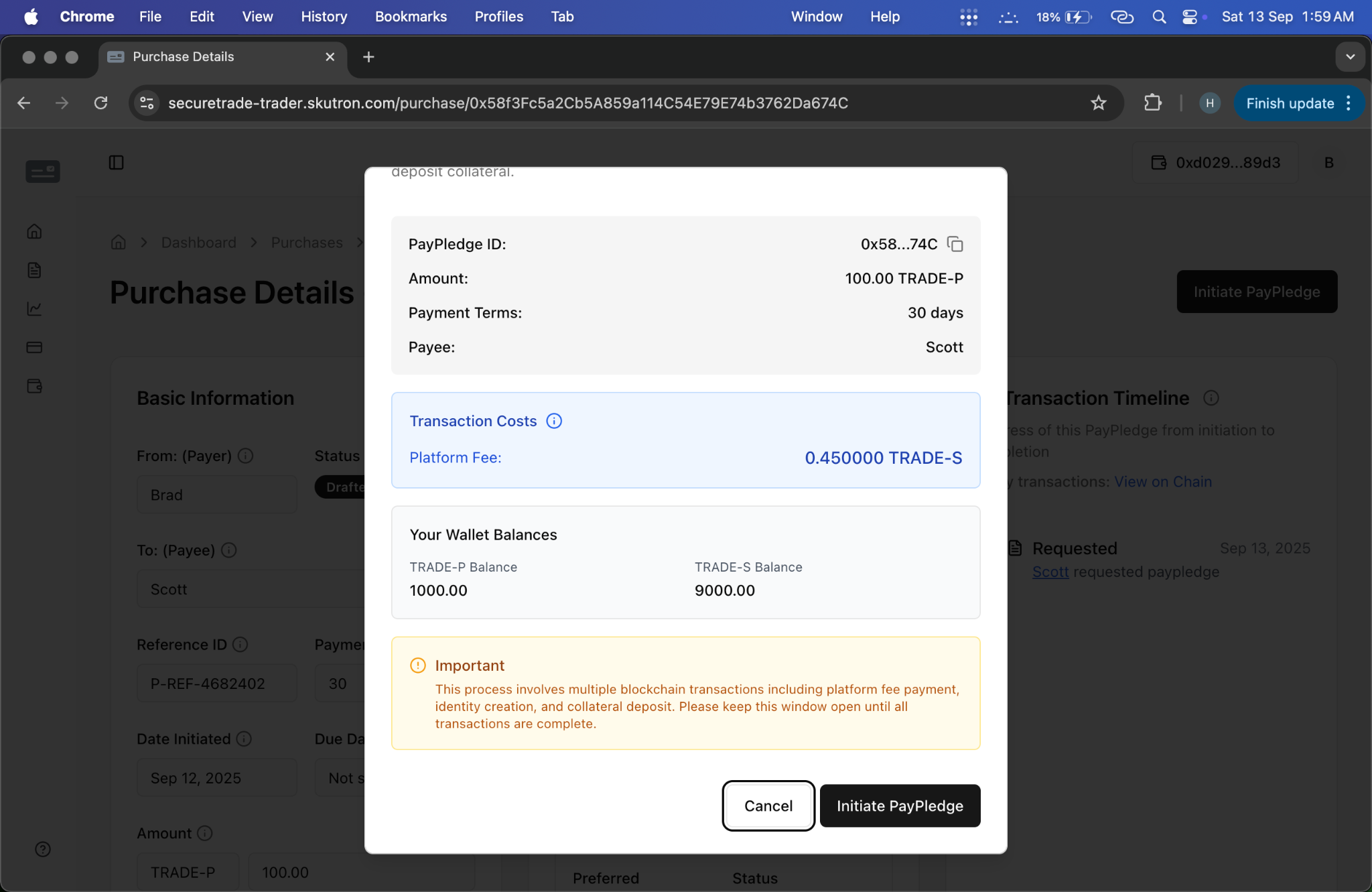
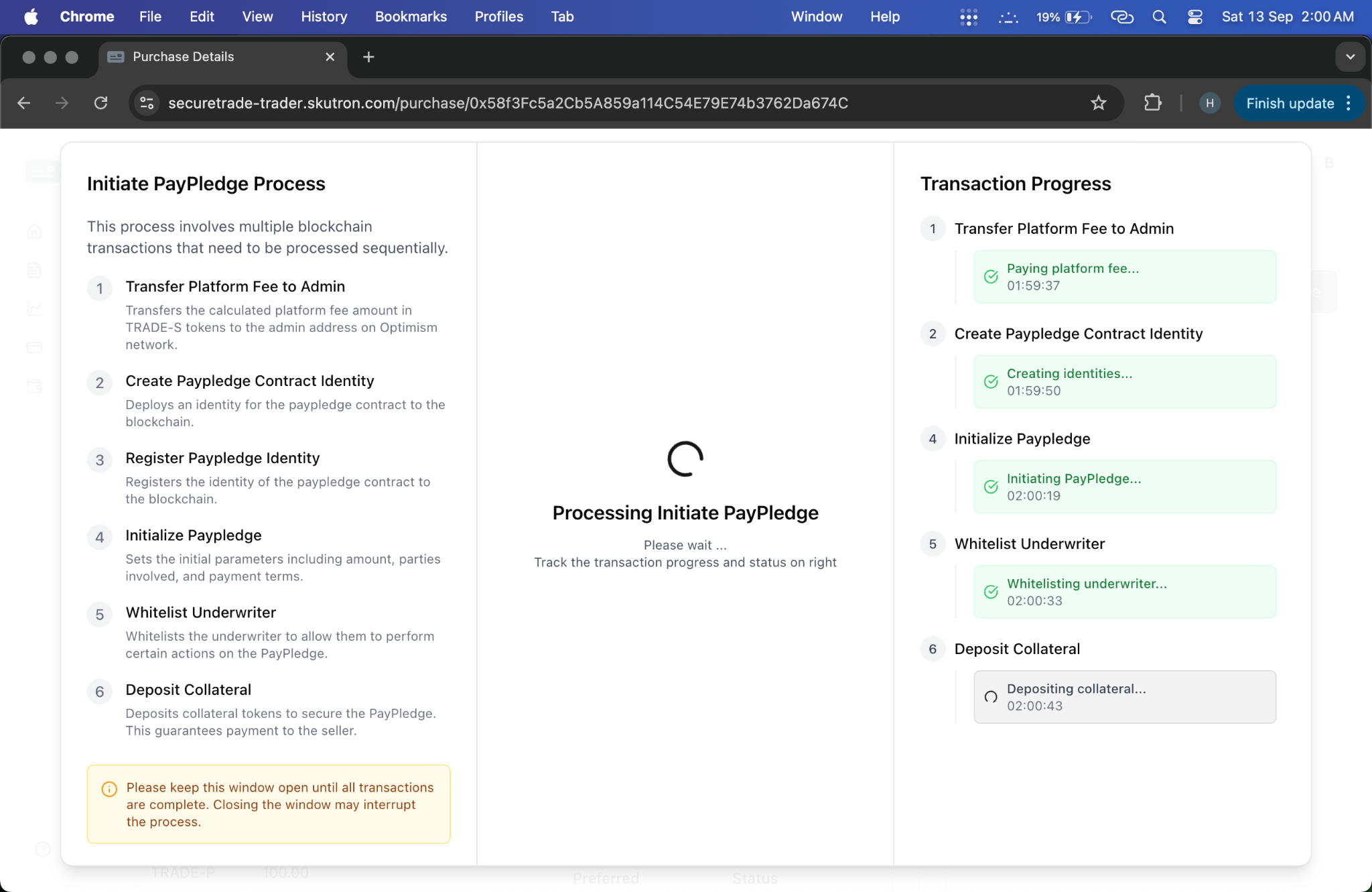
6. PayPledge Initiation
Buyer Initiates PayPledge
- Action: Buyer reviews and initiates PayPledge based on seller request
- System Response: PayPledge status changes to "Initiated"
- Screenshots:
Initiation Steps:
- Review PayPledge terms
- Confirm collateral adequacy
- Accept fee responsibility
- Initiate PayPledge transaction
- Confirm initiation
7. Seller Acceptance
Seller Accepts PayPledge
- Action: Seller reviews PayPledge terms and accepts
- System Response: PayPledge status changes to "Contingent"
- Screenshot:
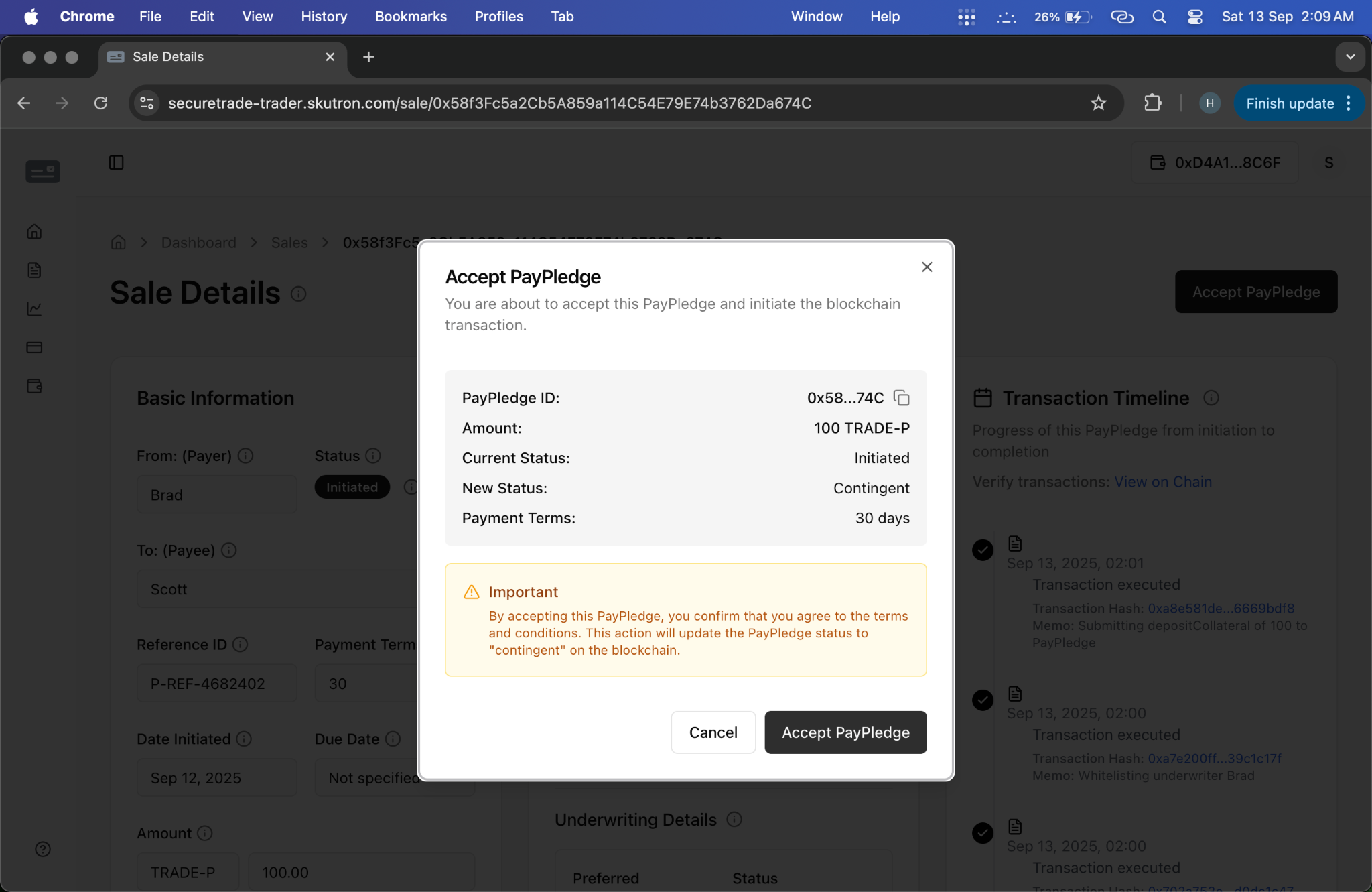
Acceptance Process:
- Review initiated PayPledge
- Verify terms and conditions
- Confirm performance requirements
- Accept PayPledge
- Confirm acceptance
8. PayPledge Activation
Transaction Becomes Active
- Action: PayPledge becomes active and ready for execution
- System Response: Status changes to "Contingent" - ready for performance
- Outcome: Both parties committed to transaction terms
Phase Completion Criteria
✅ Ready for Next Phase When:
- PayPledge is created and accepted by both parties
- Collateral is deposited and verified
- Terms and conditions are agreed upon
- Performance requirements are defined
- Transaction is in "Contingent" status
Key Features
- Detailed Terms: Comprehensive transaction specifications
- Collateral Management: Secure collateral deposit and verification
- Dual Approval: Both buyer and seller must agree
- Status Tracking: Clear status updates throughout process
- Fee Transparency: Clear fee structure and responsibility
PayPledge Types
Standard PayPledge
- Amount: Standard transaction amounts
- Terms: Standard payment terms
- Collateral: Standard collateral requirements
Express PayPledge
- Amount: Smaller, quick transactions
- Terms: Expedited processing
- Collateral: Reduced collateral requirements
Custom PayPledge
- Amount: Large or complex transactions
- Terms: Customized terms and conditions
- Collateral: Enhanced collateral requirements
Common Issues & Solutions
Issue: Insufficient Collateral
- Solution: Deposit additional collateral or adjust transaction amount
- Prevention: Verify collateral adequacy before initiation
Issue: Terms Not Accepted
- Solution: Negotiate terms or create new request
- Prevention: Ensure clear communication of requirements
Issue: PayPledge Not Initiated
- Solution: Check credit line status and collateral availability
- Prevention: Verify all prerequisites are met
Next Steps
After completing Phase 3, users are ready to proceed to:
- Phase 4: Transaction Execution - Execute the PayPledge transaction
Related Resources
- Complete Workflow Videos
- Base Scenario - Steps 8-14
- Flow with Resolver - Steps 8-14
- Trader Role Guide